Best Photo for a 3D Pet Model: 7 Tips for Dogs and Cats
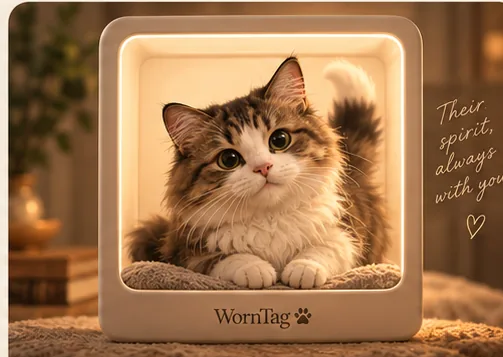
The best photo for a 3D pet model is a sharp, evenly lit picture of the whole animal, with the face clear. WornTag is being built to start from one favourite photo of your dog or cat, so the photo you choose matters.
These seven tips come from how photo-to-3D tools work. They are WornTag’s guidance, not a tested guarantee, and they apply to any single-photo tool.
What makes a good photo for a 3D pet model?
A good photo shows your pet’s whole body and clear face in even light.
Even Apple-style photogrammetry asks that each image contain the entirety of the object, according to Vuforia’s guide to Apple’s Object Capture. A single-photo tool has only that one image to learn from, so it benefits even more.
What are the seven photo tips?
These seven checks will help most pets.
- Show the whole pet. Keep head, body, legs and tail in frame.
- Use soft, even light. Daylight by a window beats a camera flash.
- Get down to eye level. A level view keeps proportions honest.
- Keep the face sharp. Eyes, nose and ears carry most of the likeness.
- Choose a simple background. It helps the pet stand out from the room.
- Pick a side or three-quarter view. It shows more shape than a straight-on shot.
- One pet per photo. Crop out other animals and people.
Which photos should you avoid?
Avoid photos where the pet is partly hidden, blurred or in strong backlight.
| Photo type | Why it helps or hurts | Verdict |
|---|---|---|
| Whole body, soft daylight | Shows shape, markings and colour | Best |
| Close-up of the face only | No body shape to work from | Use with care |
| Strong backlight or silhouette | Hides the coat colour and markings | Avoid |
| Blurry action shot | Edges and fur detail are lost | Avoid |
| Pet partly behind furniture | Missing body parts must be guessed | Avoid |
| Two pets close together | The shapes can merge | Crop to one |
Can an old photograph work?
Yes, an old photograph can work if the pet is clear and well lit.
WornTag is meant for people celebrating a pet today and for people revisiting an old picture, and it does not ask you to label which. A scanned print should be sharp, flat and free of glare. A small or heavily compressed image gives the tool less detail to keep.
Does a single photo need as many pictures as photogrammetry?
No, a single-photo tool needs only one picture, while photogrammetry needs many.
Vuforia’s guide to Apple’s Object Capture sets a minimum of 100 images with 70% overlap for photogrammetry. Single-image tools instead estimate the unseen sides, which is why a clean, whole-body photo helps. You can read the full comparison in our guide to making a 3D dog model from a photo.
What will WornTag do with your photo?
WornTag has not launched photo upload, so no photo is collected today.
Before upload goes live, WornTag will publish what happens to an image, who processes it, how long it is kept and how to request deletion. Until then, please do not send pet photos through this website.
Join the beta list See how WornTag works
Sources
- Vuforia’s guide to Apple’s Object Capture: each image should contain the entirety of the object; 100-image minimum and 70% overlap.
WornTag is in development. The app is not available to download and this website does not accept pet photos. Everything about WornTag here describes what it is being built to do.