3D Dog Model From a Photo: What Works and What to Expect
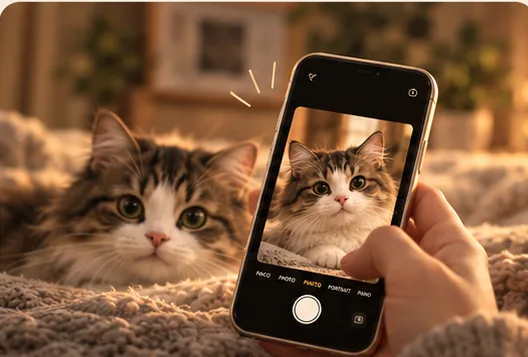
You can get a 3D dog model from a photo, and WornTag is being built to make it a personal keepsake. Some tools need one image. Others need a hundred. WornTag is designed around a single favourite photo of your dog, then adds gentle moments such as calling and play.
This guide explains the three ways people make a 3D dog model today, what each one needs, and where a single photo falls short.
How do you make a 3D dog model from a photo?
You make one by giving software one or more photos and letting it build a 3D shape and surface from them.
- Photogrammetry stitches many overlapping photos into one model.
- Single-image AI estimates the whole shape from one photo.
- A 3D artist models the dog by hand, using your photos as reference.
WornTag is aimed at the second route, because most people have one great picture of their dog rather than a hundred.
How many photos does a 3D dog model need?
It depends on the method, from one photo to more than a hundred.
Photogrammetry with Apple’s Object Capture needs a minimum of 100 images, with 70% or more overlap between neighbouring shots, according to Vuforia’s guide to Apple’s Object Capture. Single-image tools such as TripoSR can build a draft textured model from one image in around 0.5 seconds on an Nvidia A100 GPU, according to Stability AI’s TripoSR announcement.
| Method | Photos needed | Dog must stay still? | Best for |
|---|---|---|---|
| Photogrammetry | 100 or more, overlapping | Yes, for the whole shoot | Objects that hold still |
| Single-image AI | One | No | Pets you already have photos of |
| Hand-modelled by an artist | A few reference photos | No | One-off, highly detailed pieces |
Why is photogrammetry hard for dogs?
Dogs move, and photogrammetry needs the subject to stay perfectly still across every shot.
A model built from 100 or more images only lines up if the subject does not change between them. A wagging tail or a turned head breaks the match. That is why a single-photo approach suits living pets and old photographs far better.
What can one photo not show?
One photo cannot show the sides and back of your dog, so any single-image tool has to estimate them.
- The side facing away from the camera is a best guess.
- Markings you cannot see in the photo are not reproduced.
- A clear view of the face and coat gives the best starting point.
WornTag does not promise a perfect reconstruction. It is being built to keep the markings, colours and small details you recognise, and to say plainly when a likeness is imperfect.
Who is a 3D dog companion for?
It is for people who already love their dog and want something more present than a still image.
The American Pet Products Association (APPA) reports that 95 million US households own a pet, so a great many people have a favourite photo of a dog or cat. A 3D companion suits someone celebrating a dog today, or revisiting an old photograph. It does not bring an animal back, and WornTag says so openly.
Where can you try a 3D dog model from a photo?
You cannot try WornTag yet, because it is still in development.
The beta list is open for people who want to hear when testing begins. Joining does not guarantee a place and does not ask you to pay. Pricing and supported phones will be published before anyone is asked to commit.
Join the beta list See how WornTag works
Sources
- Vuforia’s guide to Apple’s Object Capture: 100-image minimum and 70% overlap.
- Stability AI’s TripoSR announcement: single-image 3D in about 0.5 seconds on an Nvidia A100.
- American Pet Products Association (APPA): 95 million US households own a pet (2025 survey).
WornTag is in development. The app is not available to download and this website does not accept pet photos. Everything about WornTag here describes what it is being built to do.